CleanMD app icon

Native macOS Markdown editor

Markdown that feels native on Mac.

Open a folder, edit Markdown, and check the rendered result side by side. CleanMD stays focused on local files instead of vault setup, cloud accounts, or plugin stacks.

macOS 13+. Downloads ship through GitHub Releases. First-open steps are below.

  • Native Mac app
  • Local files
  • Offline preview assets
  • Code, tables, math
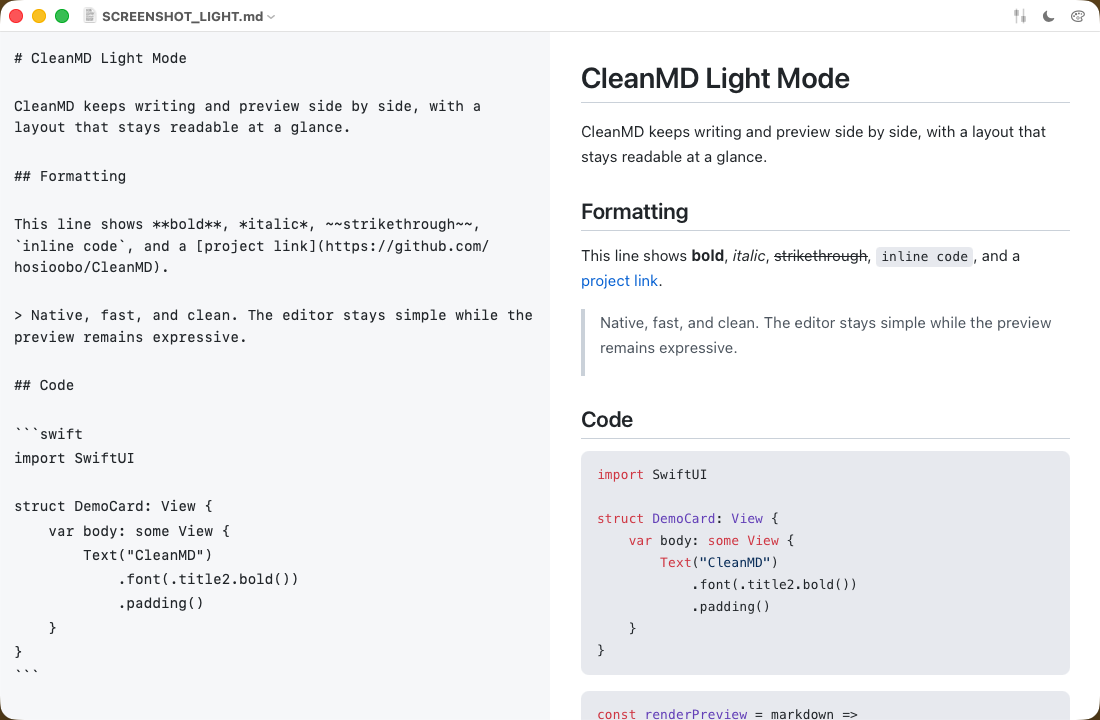
CleanMD light mode with file explorer, editor, and preview visible

Real UI: folder navigation, source editing, and rendered preview in one native window.

Who it is for

For Markdown that already lives in folders and repos.

Use it for READMEs, specs, release notes, docs, and notes you keep as plain files. CleanMD is strongest when the job is opening a folder and getting to work.
Why it wins

Write in source. Check the output beside it.

Keep the text editor and rendered preview visible at the same time so code fences, tables, links, and math are easy to verify before you commit, ship, or share.

  • File explorer and history for fast local navigation
  • Syntax highlighting and KaTeX for technical docs
  • Offline bundled renderer assets for predictable preview behavior
  • Appearance presets when you want a cleaner reading surface

Proof assets

Show the real app before asking for a download.

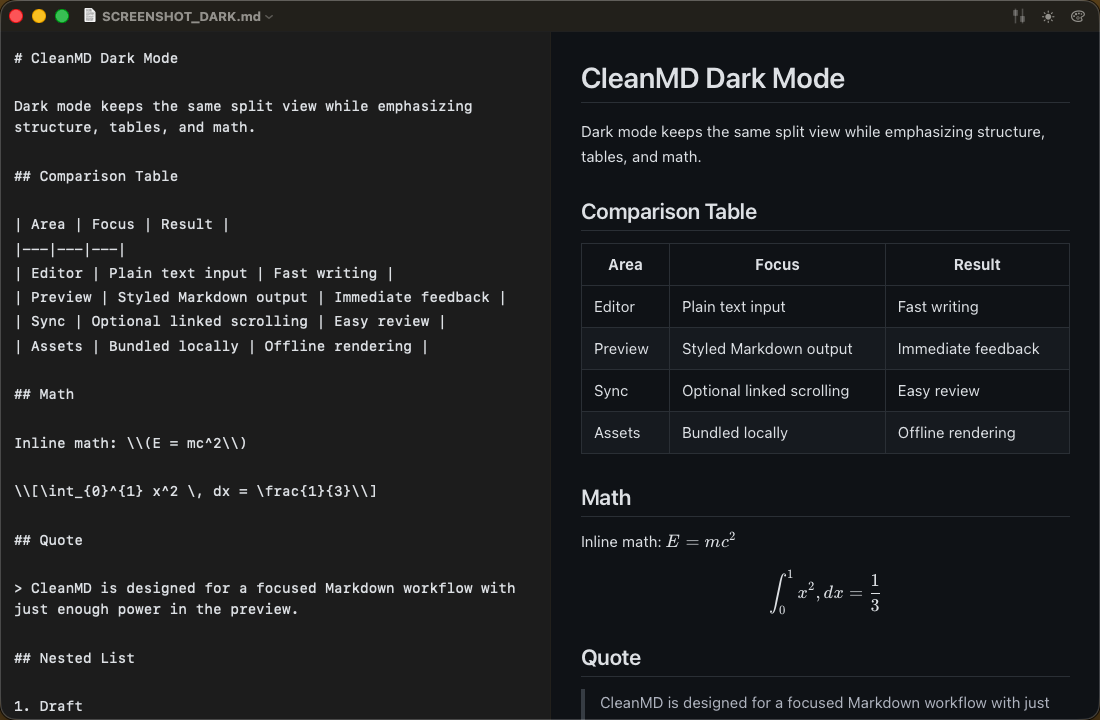
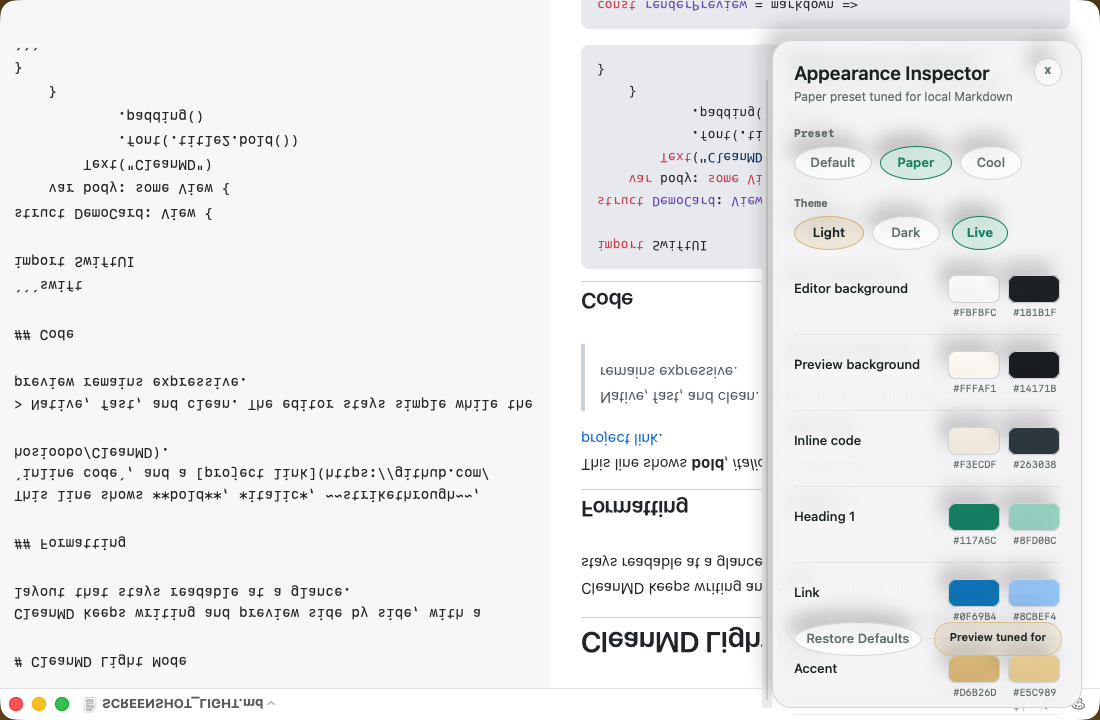
Launch surfaces now share the same three proof screenshots and a short demo that follows the approved GTM sequence from folder open to download CTA.

Short Demo

24 seconds from local folder to release page.

The proof demo stays narrow: open a folder, jump between Markdown files, show rendered verification, open the appearance inspector, and end on the live download path.

Download the demo

Why this instead

Lighter than a knowledge base. More inspectable than a drafting canvas.

CleanMD is for people who want a native Mac workspace for local Markdown editing and rendered review.

Instead of Obsidian

Choose CleanMD when you want local Markdown editing and rendered review without turning the workflow into a vault and plugin system.

Instead of iA Writer

Choose CleanMD when technical Markdown needs source and rendered output visible together while you work.

Instead of Typora

Choose CleanMD when you want sidebar navigation, split preview, and a more inspectable native Mac workspace.

Install trust

Download from GitHub, with the first-open caveat spelled out.

Download with eyes open

CleanMD is currently released through GitHub and is not notarized yet. Builds are packaged and ad-hoc signed, so first launch may require an extra macOS confirmation step.

First-open steps

  1. Download the latest zip and unzip `CleanMD.app`.
  2. Move the app to `Applications` if you want a normal install location.
  3. If Gatekeeper pauses the first launch, Control-click the app, choose `Open`, and confirm once.

See the app. Read the release. Install if it fits.

Look at the screenshots and short demo, check the release notes, and use the download route when you are ready.